FoodFlow
A restaurant ordering and delivery platform where owners manage their menu, orders, drivers, reviews and promotions from one warm, orange workspace.
- Role
- UX/UI designer
- Year
- 2025
The project
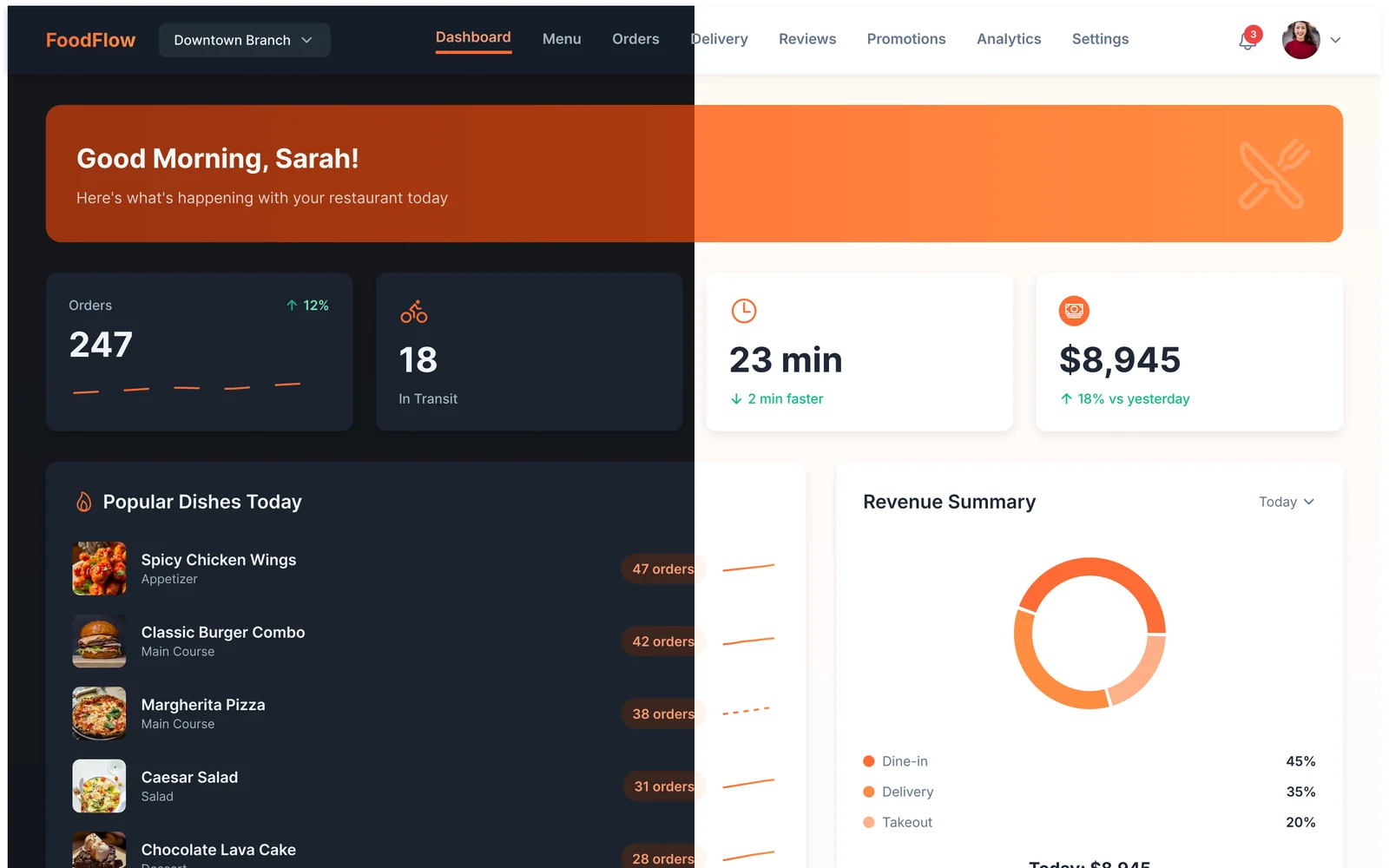
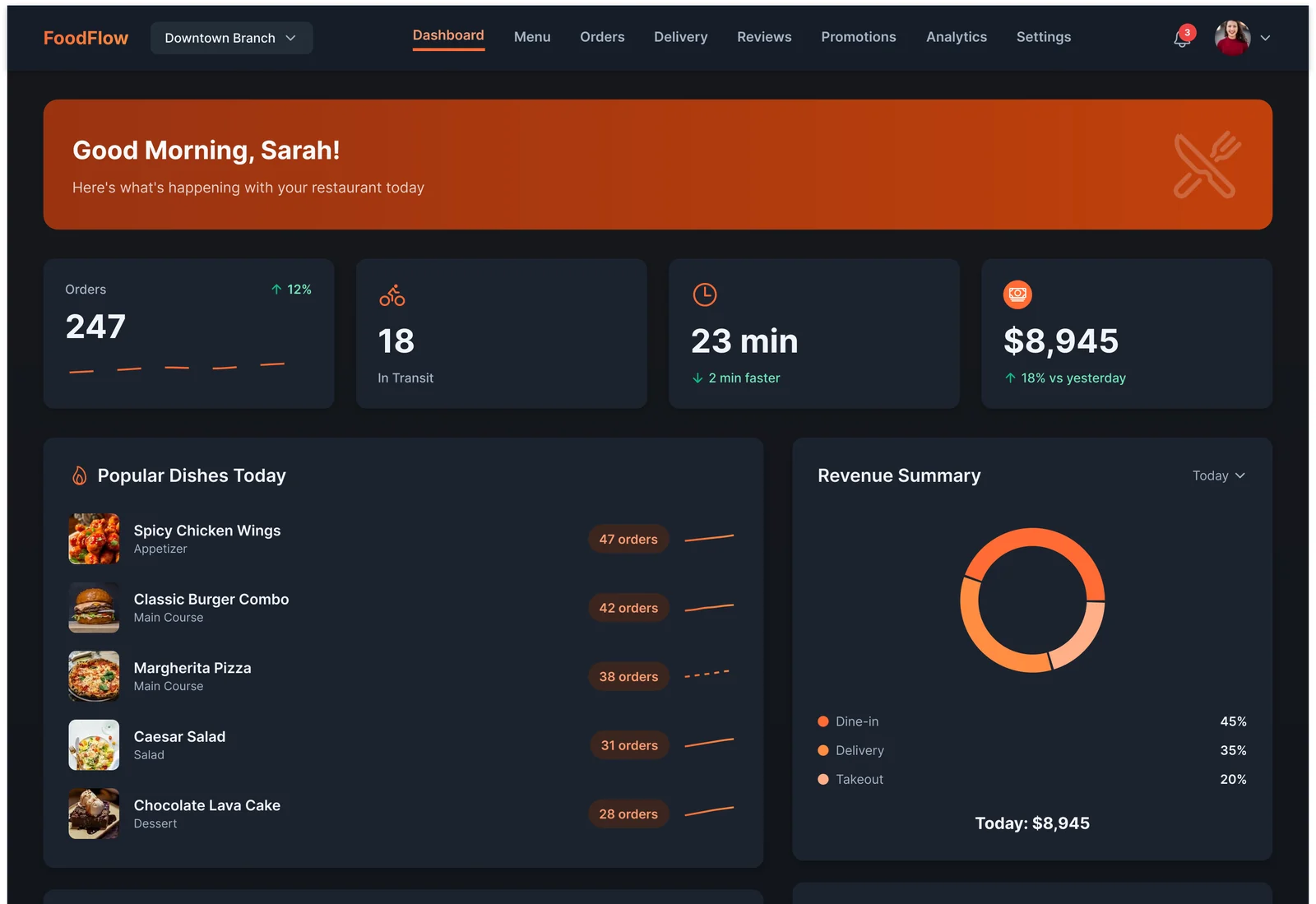
FoodFlow is the back office of a restaurant's online store. It is where the owner of a branch sees what is selling, keeps the menu up to date, follows every order from the kitchen to the doorstep, and grows sales with promotions. Everything a busy restaurant needs to sell online, on eight pages, in a light and a dark theme.
Key features
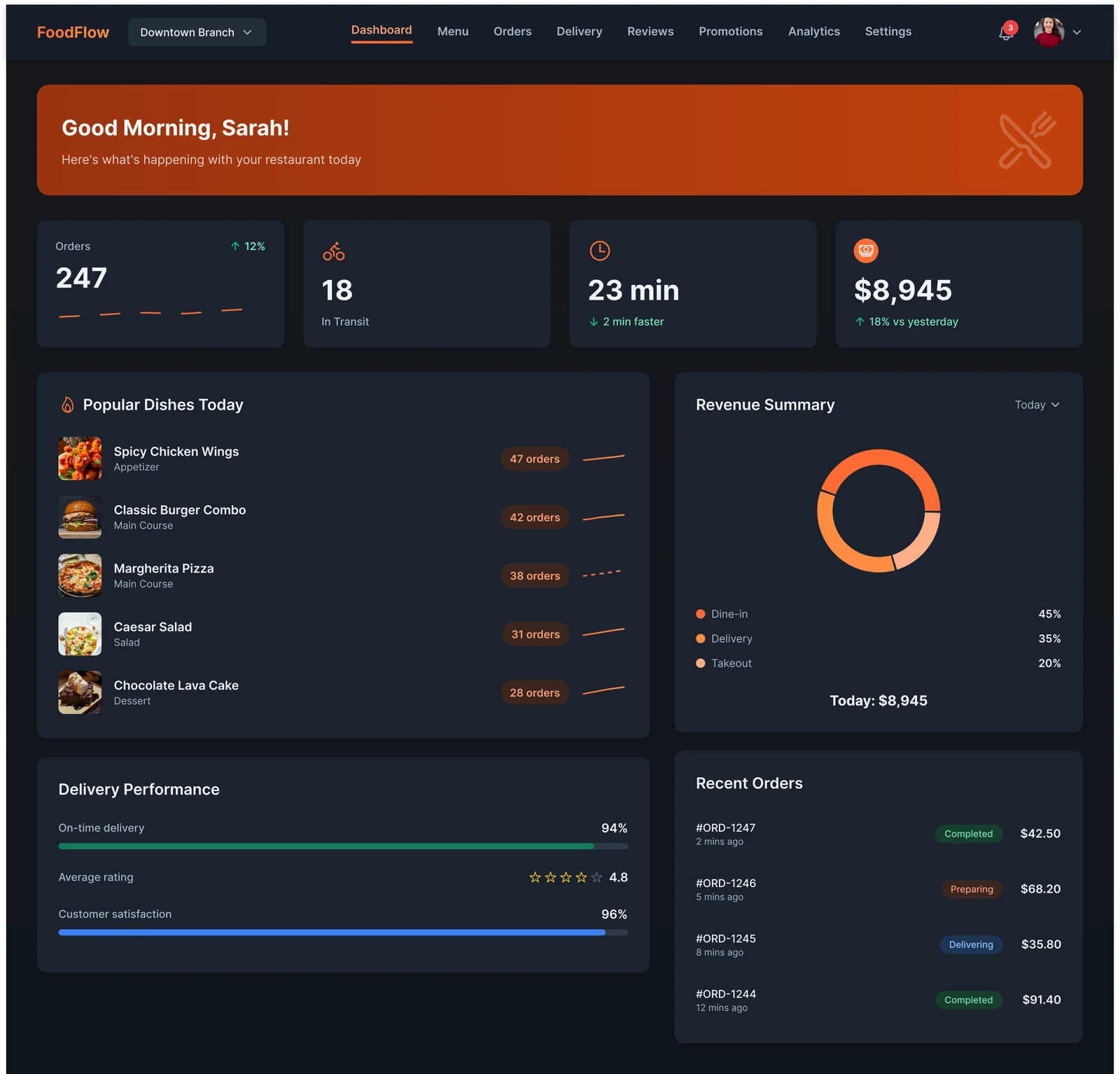
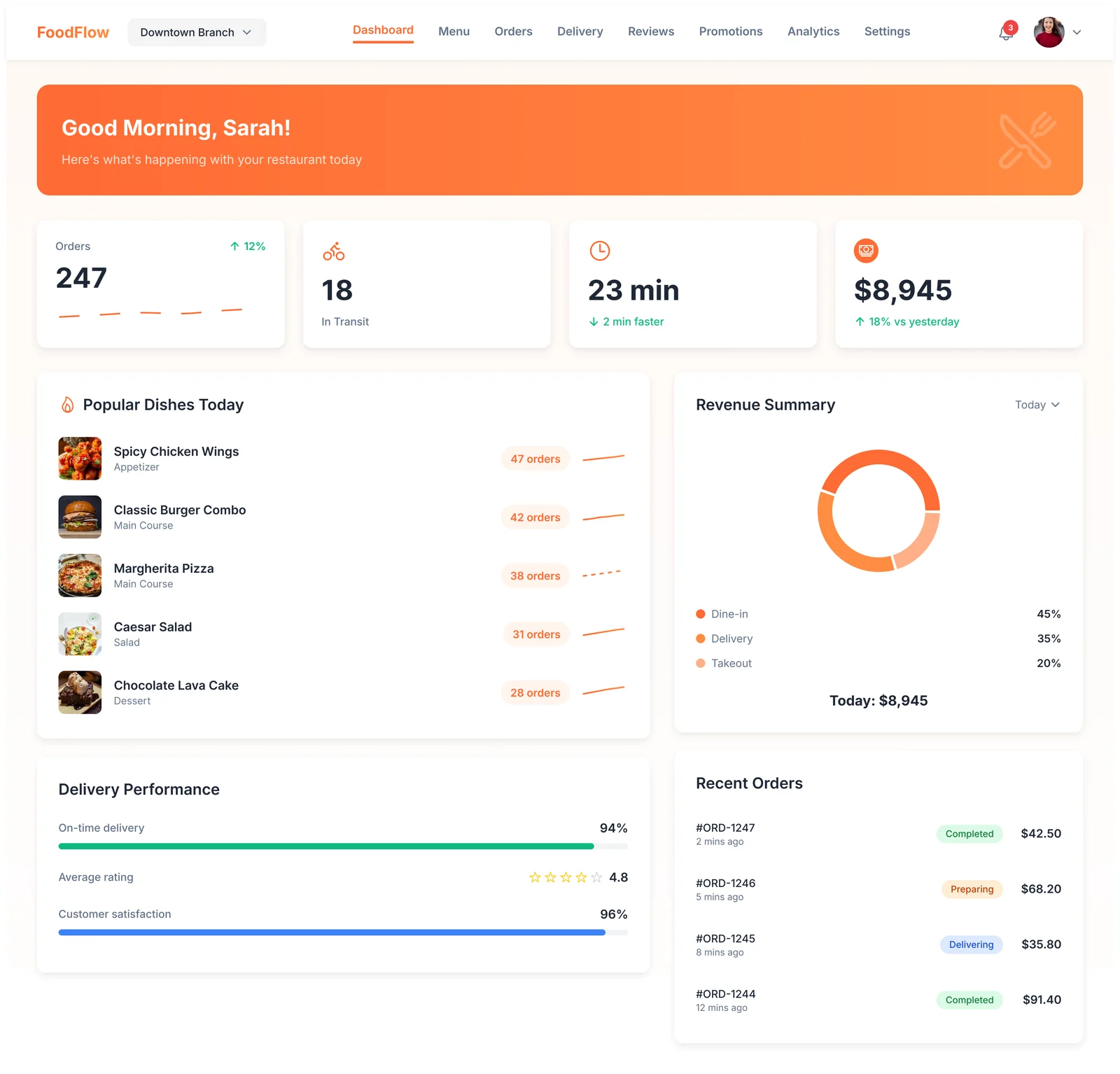
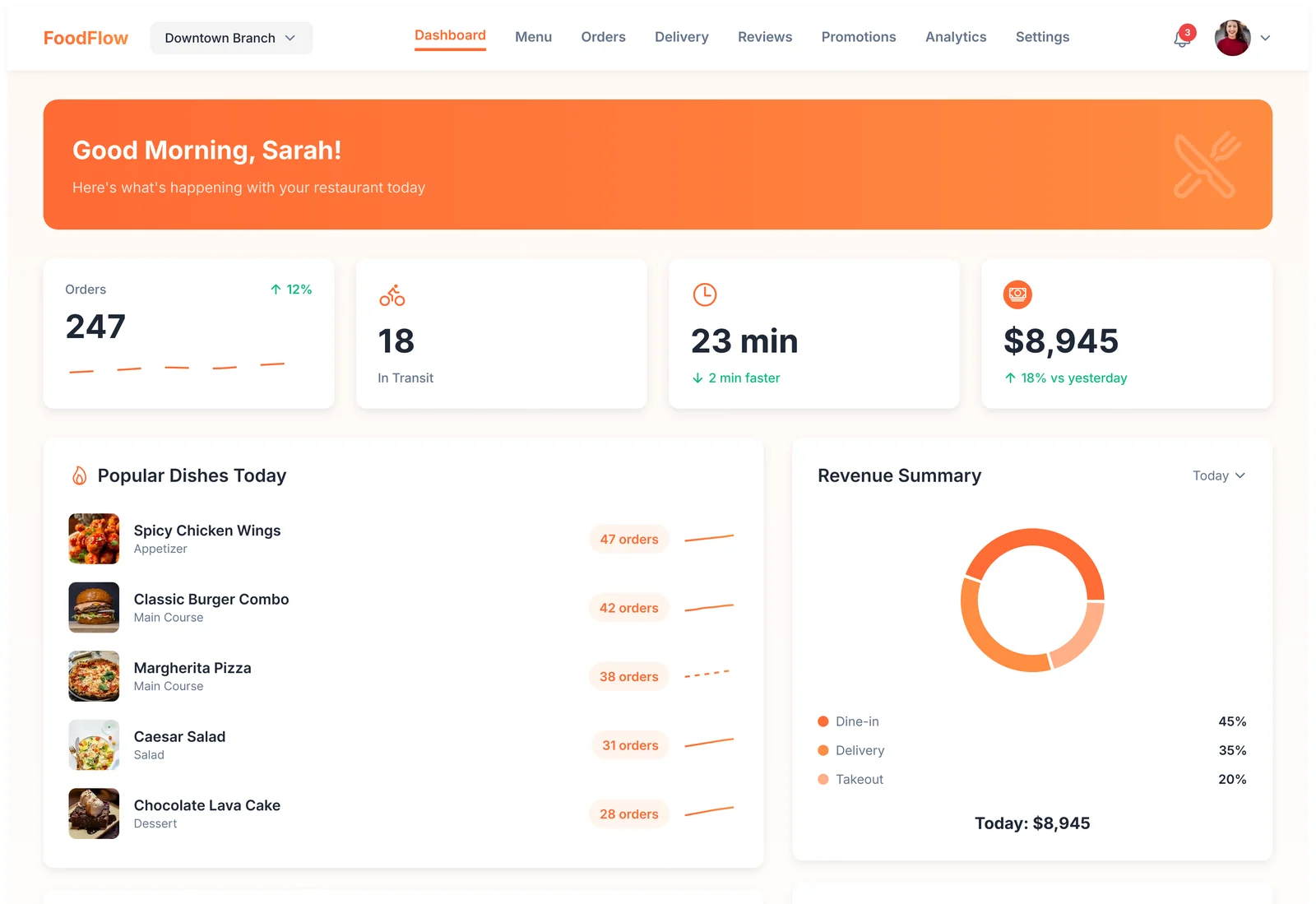
- Dashboard. Today's orders, deliveries in transit, average delivery time and revenue, followed by popular dishes, a revenue split (dine-in, delivery, takeout) and recent orders.
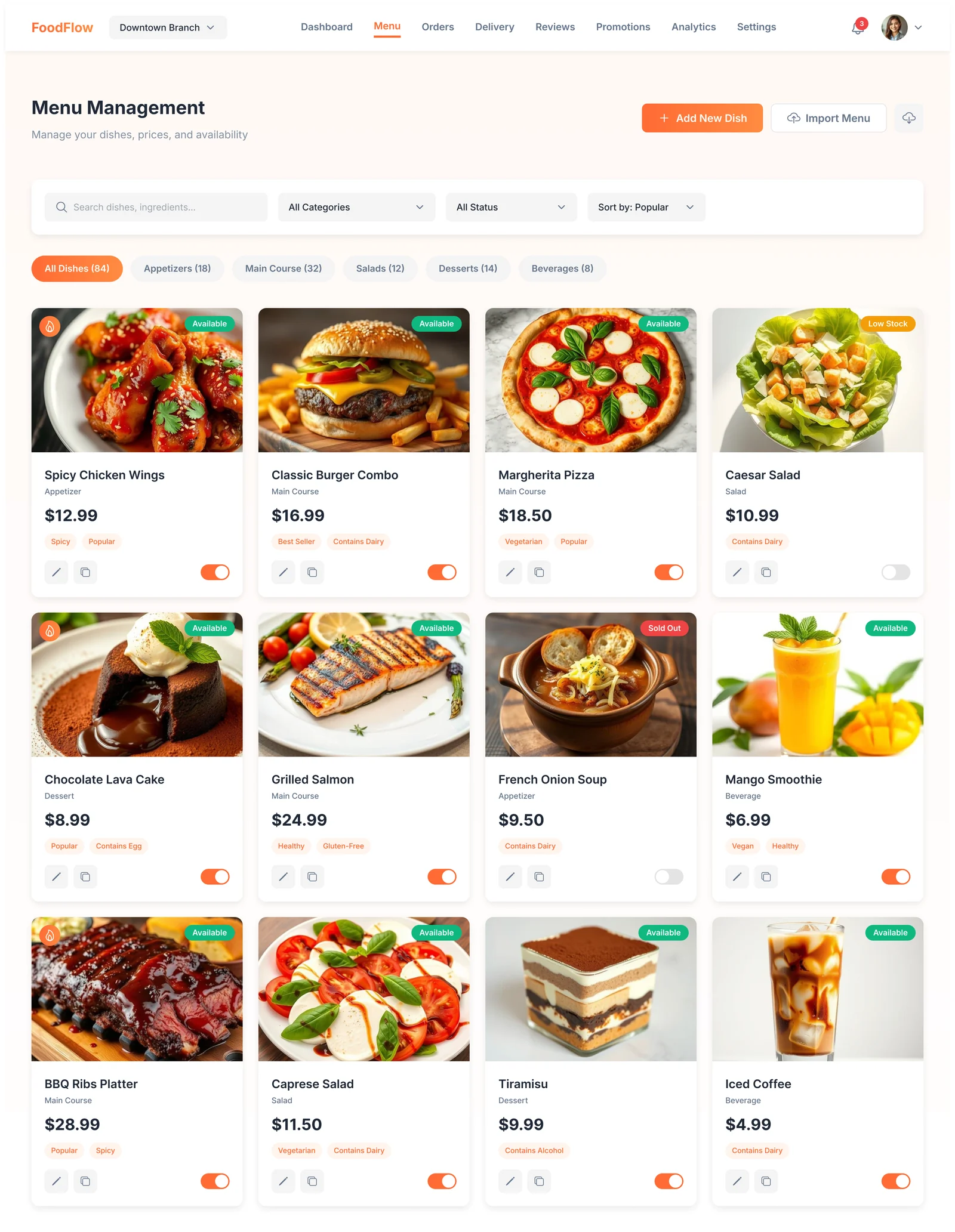
- Menu management. The menu as a visual catalogue: photo, category, price, dietary tags and an availability switch on every dish, with search, filters and category chips.
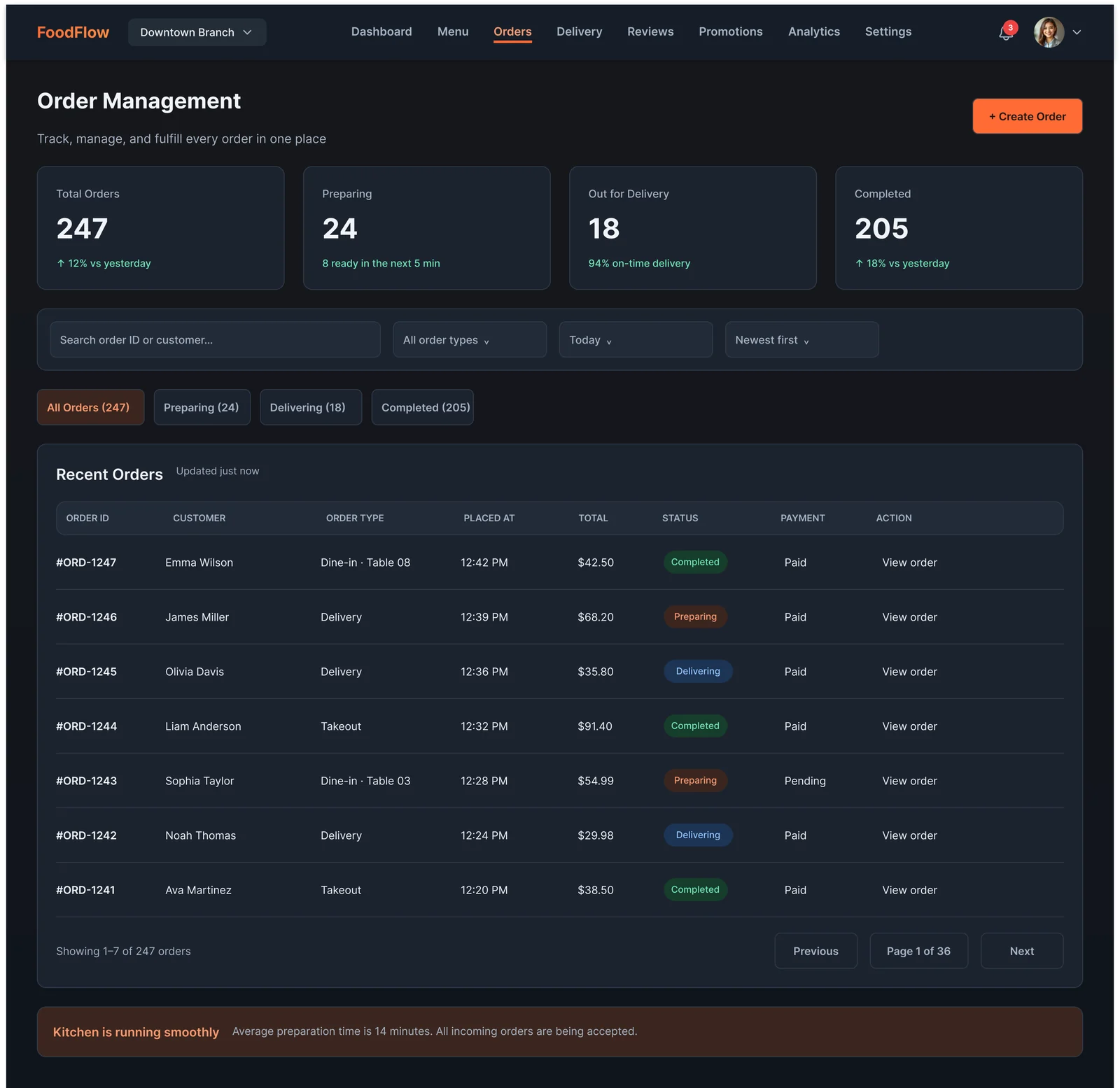
- Order management. A searchable table of every order with type, time, total, payment and a colour-coded status (completed, preparing, delivering).
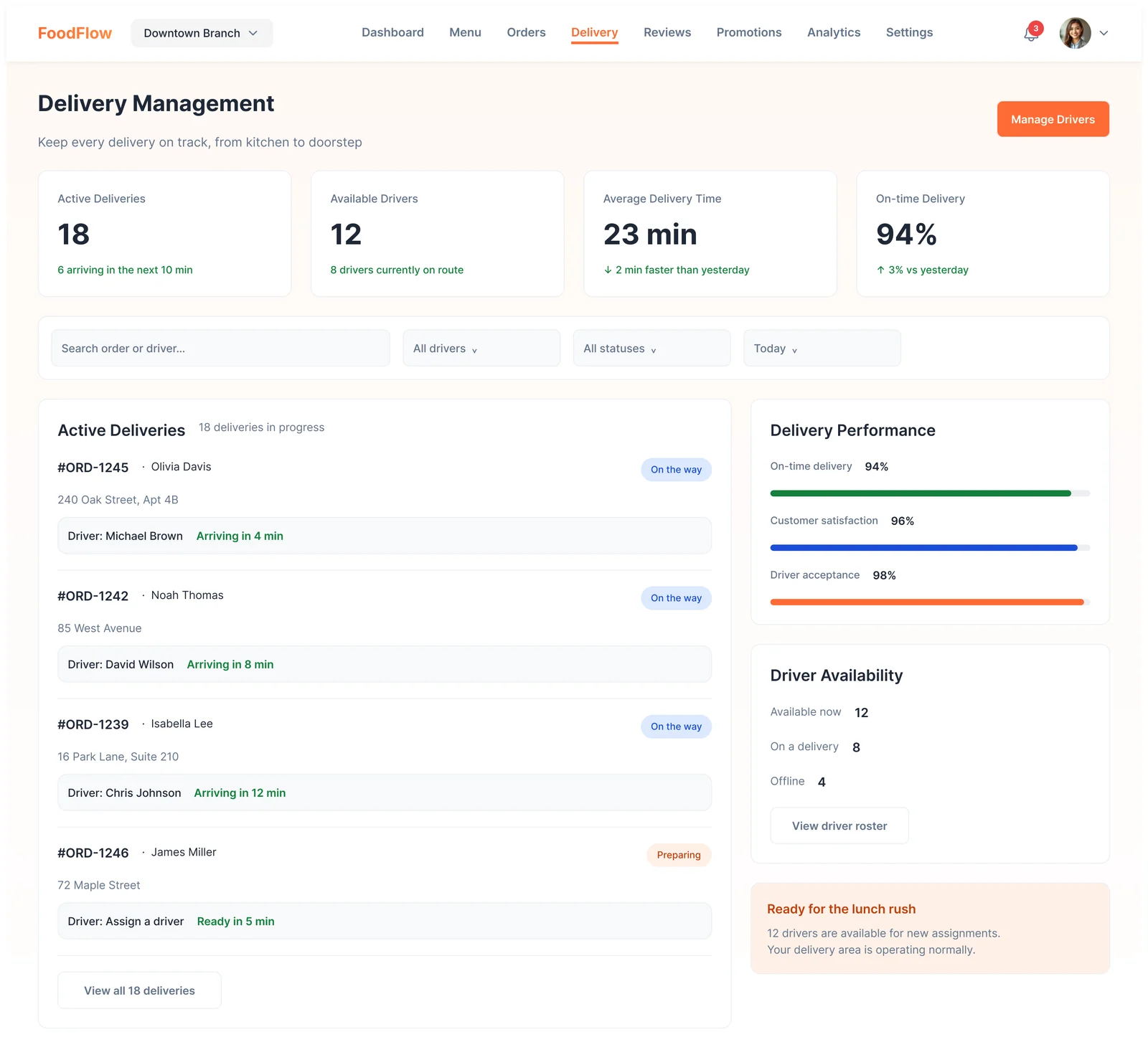
- Delivery. Active deliveries with their driver and arrival time, driver availability and delivery performance.
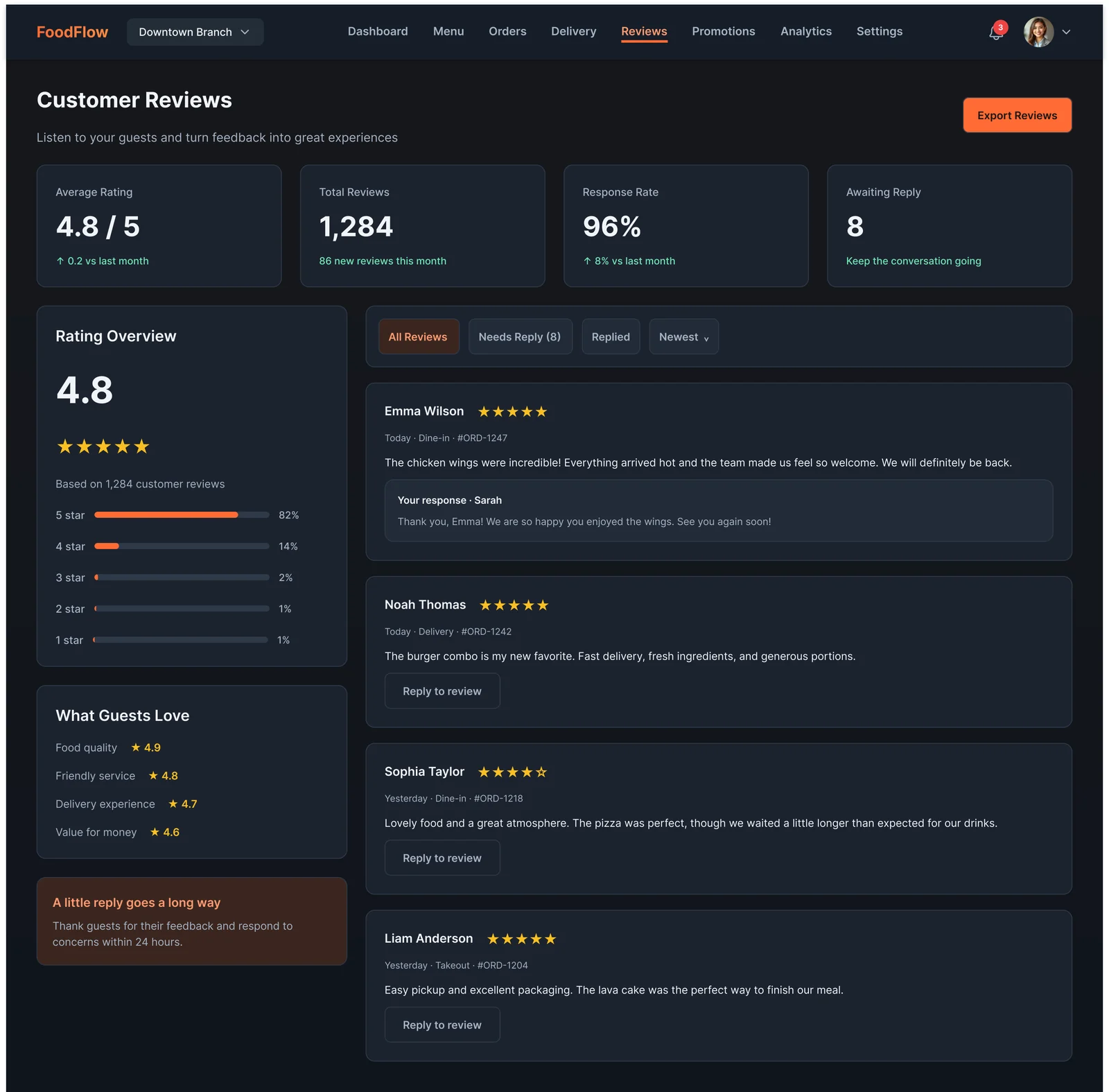
- Reviews. Rating overview, what guests love, and inline replies so no review goes unanswered.
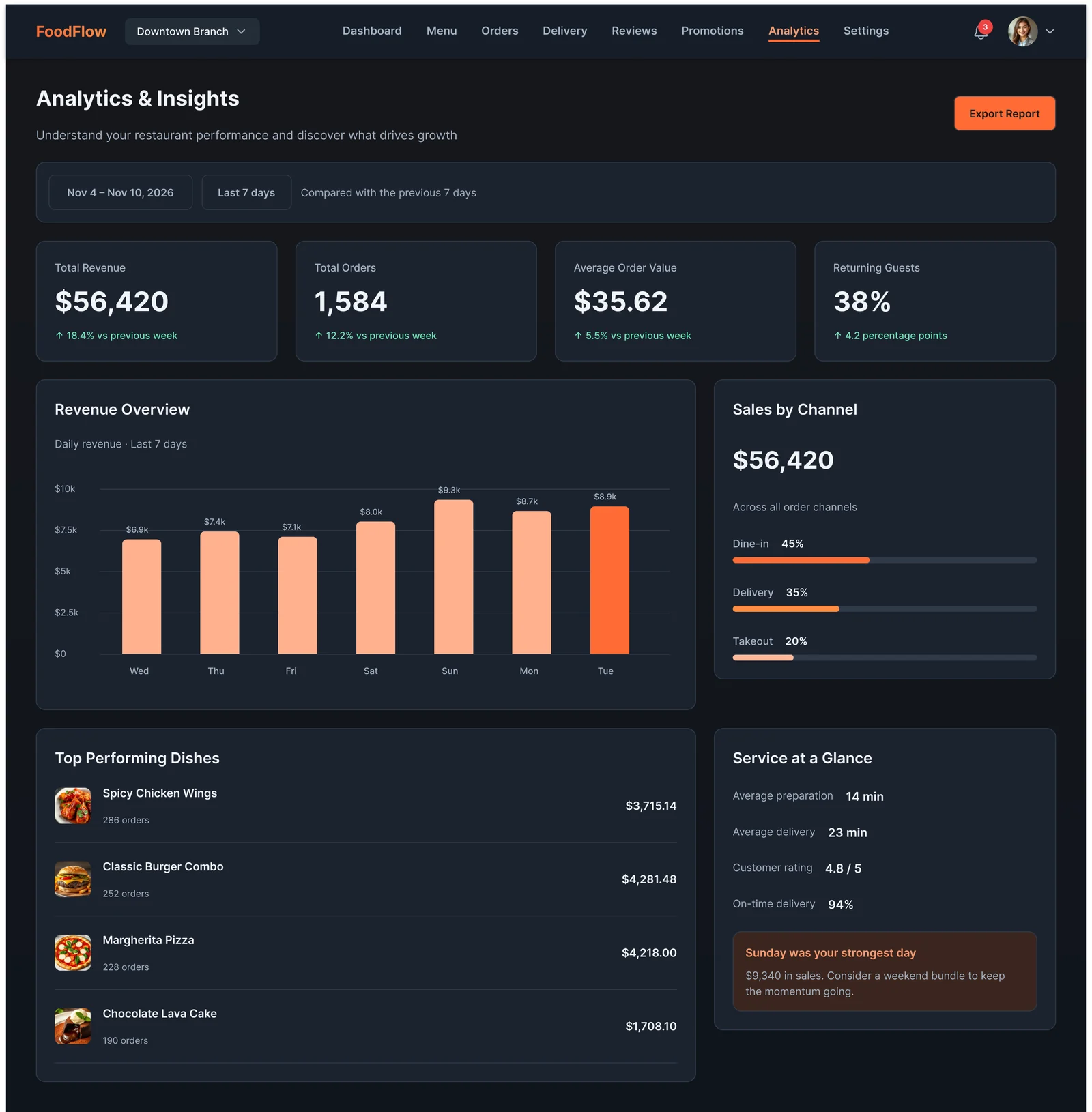
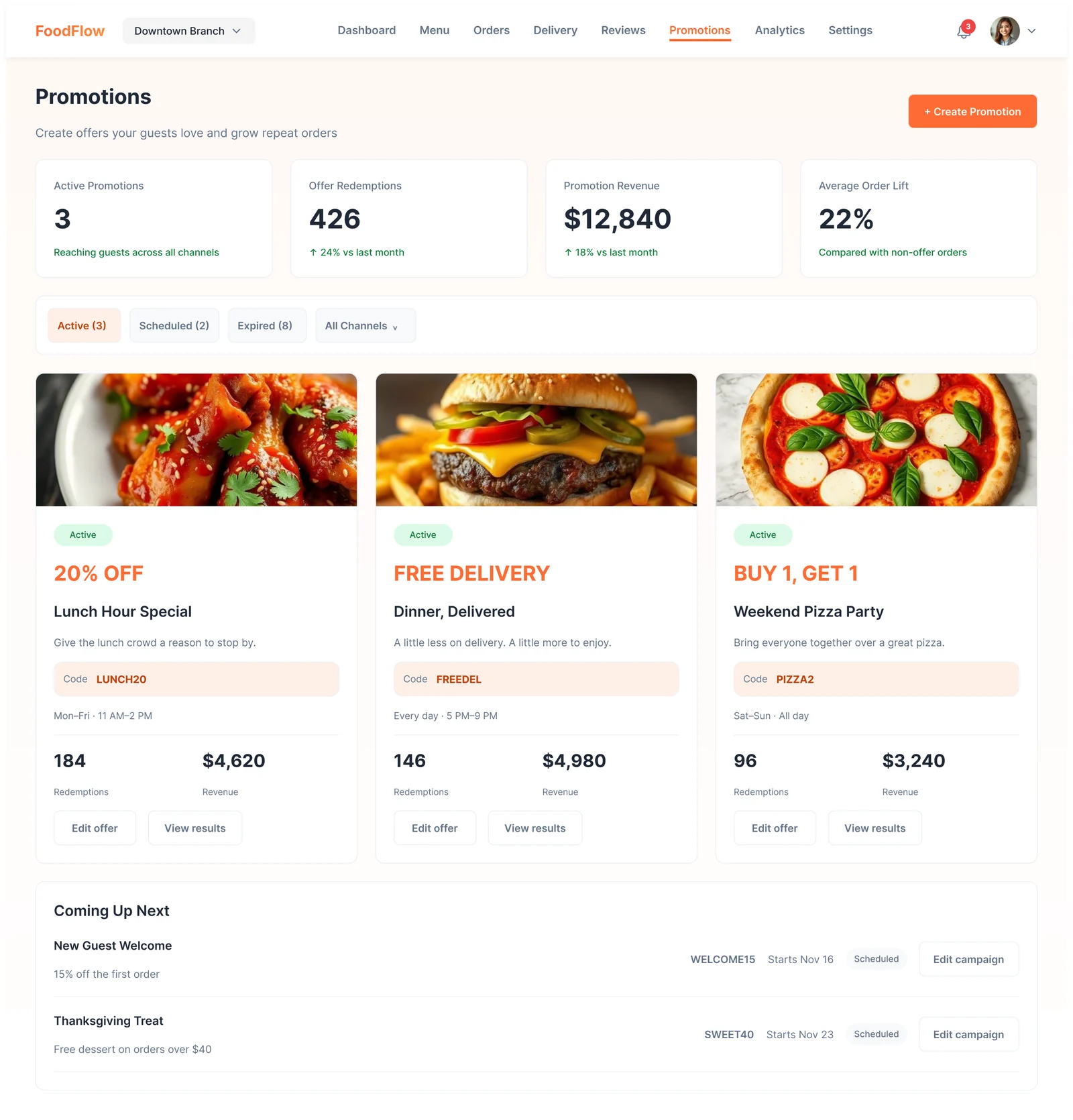
- Promotions and analytics. Offer cards with codes and results, and revenue, channels and top dishes over time.
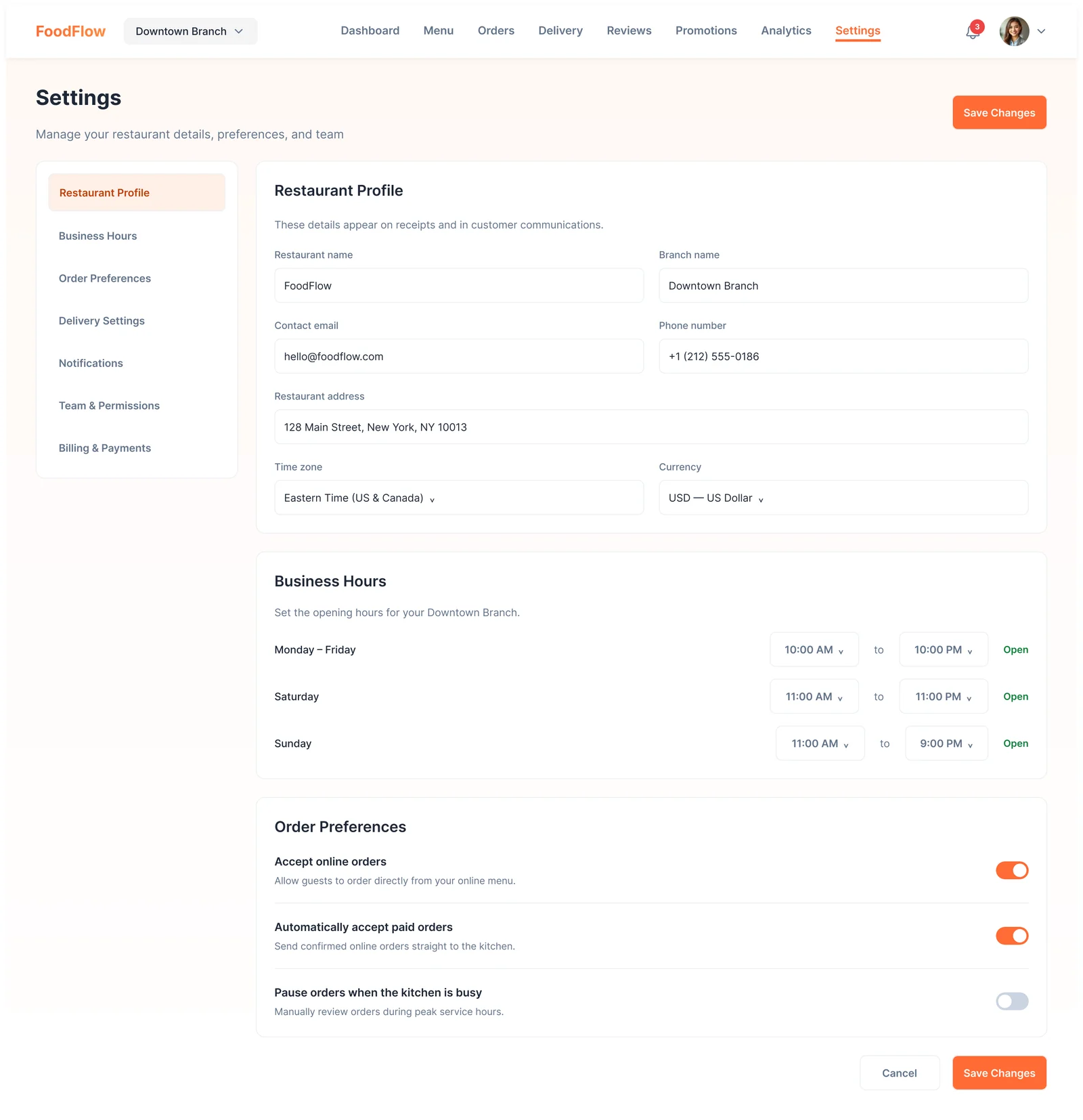
- Settings. Restaurant profile, business hours and order preferences like auto-accepting paid orders.
Visual style
FoodFlow uses one appetising orange for everything the user can act on, on top of a warm off-white page and soft rounded cards. Food photography does a lot of the work on the menu and promotion pages, so the interface around it stays quiet: thin borders, gray secondary text, and colour only where it means something. Status colours (green, amber, blue) are kept separate from the brand orange so an order's state is never confused with an action.
Colour palette
Brand and data
FoodFlow orange
#FF6B35
Primary actions, active nav, main chart series
Apricot
#FF9A70
Second chart series, hover
Peach
#FFB18F
Past days in revenue bars
Cream
#FFF1E9
Promo codes, tips, soft notices
Completed
#10B981
Completed orders, positive change
Preparing
#F59E0B
Orders in the kitchen
Delivering
#3B82F6
Orders on the road
Surfaces and text
Night
#151C26
Page background in dark
Panel dark
#1C2430
Cards in dark
Line dark
#303A49
Borders in dark
Warm white
#FFFAF6
Page background in light
Line light
#EEF0F2
Borders in light
Charcoal
#1F2937
Headings in light
Slate
#64748B
Secondary text
The full UI kit for this project is in the FoodFlow design system.
More screens