Mizan
Mizan is a mobile banking app for Lebanon that keeps dollars and lira in balance, with transfers, exchange, bills, top-ups and spending insights.
- Role
- UX/UI designer
- Year
- 2025
The project
Mizan (ميزان) means balance or scale in Arabic. The name is the idea: in Lebanon, most people live with two currencies at once, US dollars and Lebanese pounds, and the hardest part of everyday banking is keeping the two in balance. Mizan is a mobile bank built around that reality: both balances side by side, honest exchange rates, telecom top-ups for Alfa and Touch, and bills that need paying on time. It greets you with "Marhaba" and keeps every everyday task one tap from home.
Identity: calm, trustworthy and local. Deep navy and teal for confidence, one warm orange for the scan button, and a friendly geometric typeface (Plus Jakarta Sans) that keeps amounts easy to read.
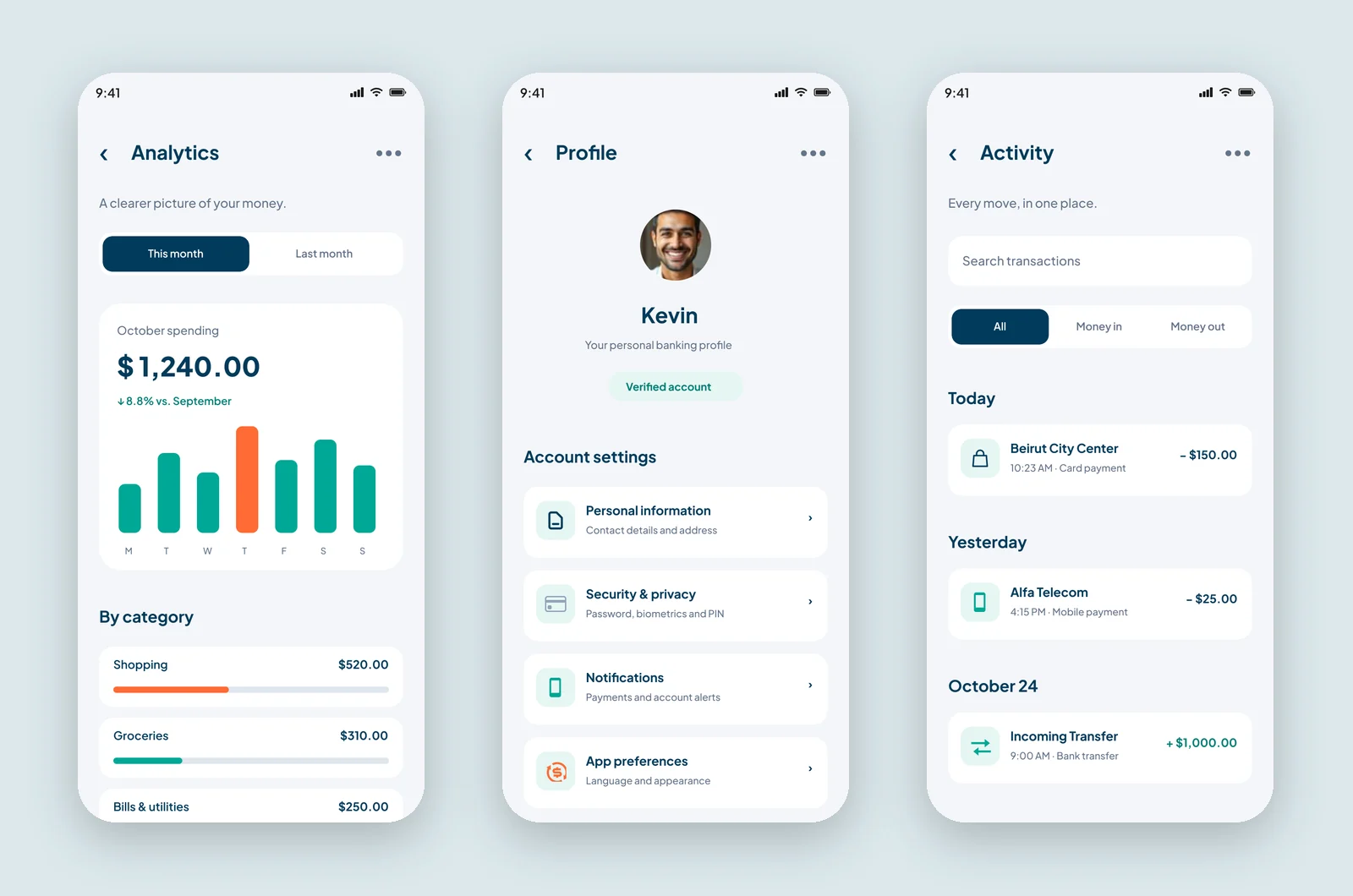
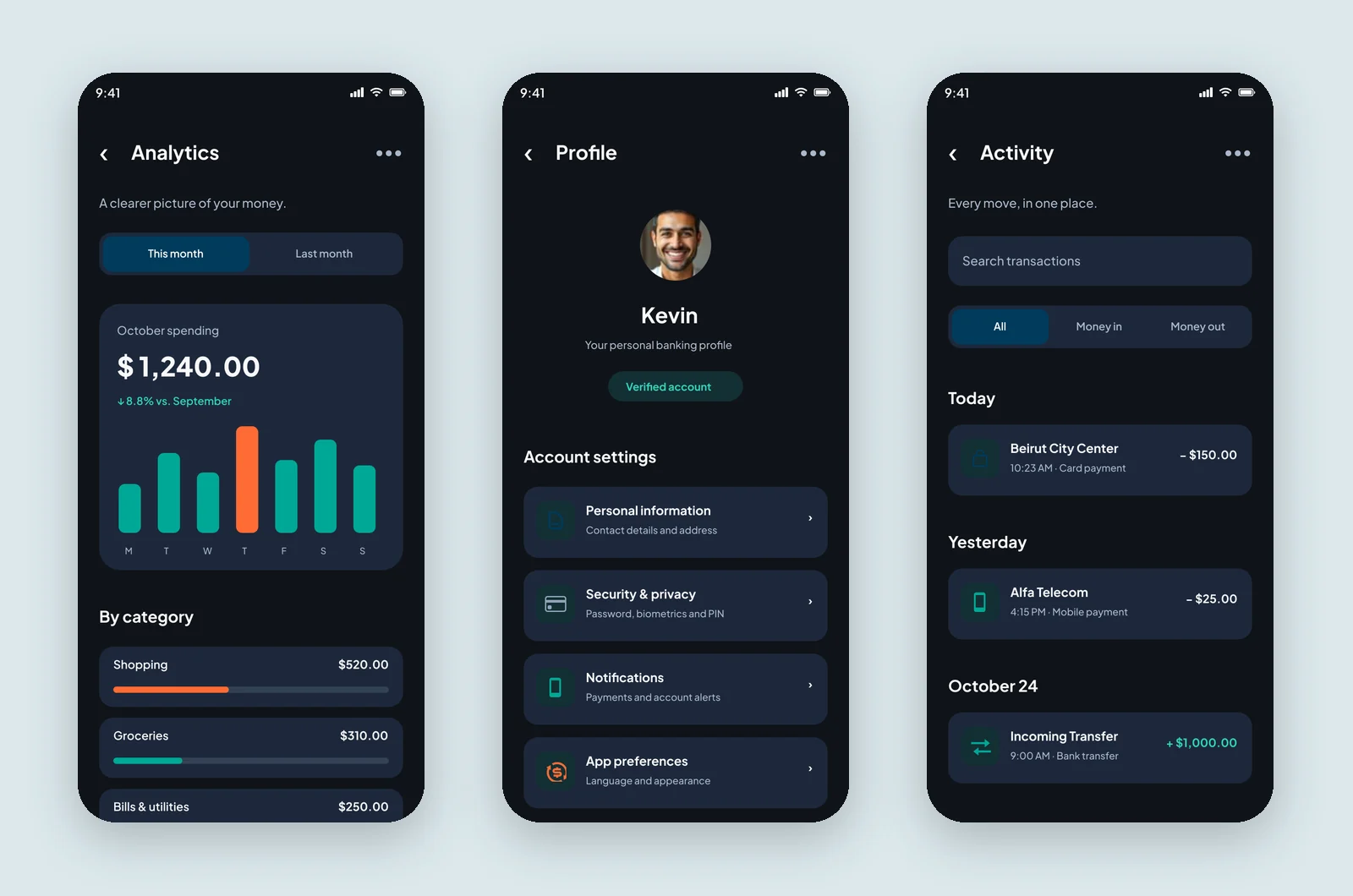
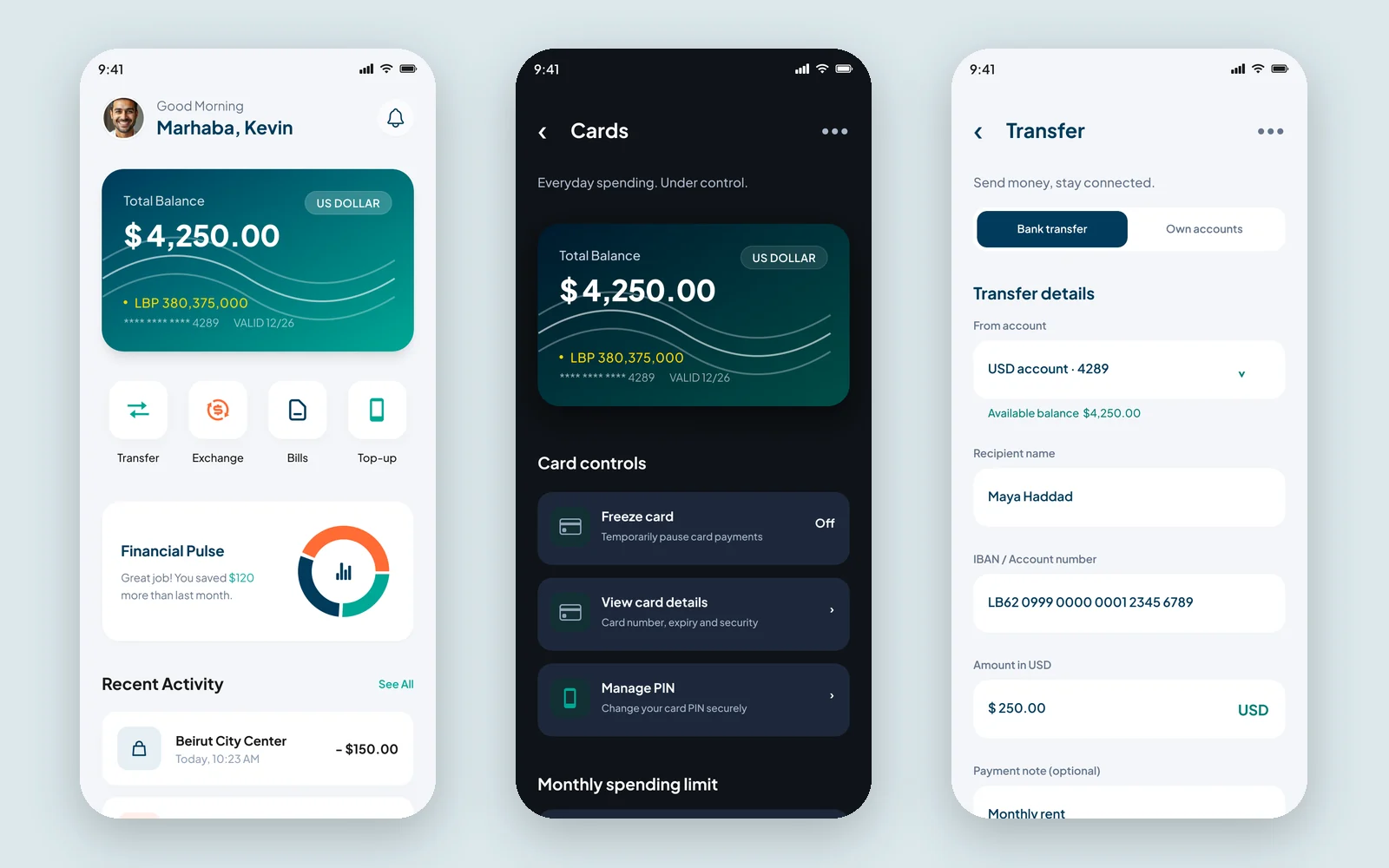
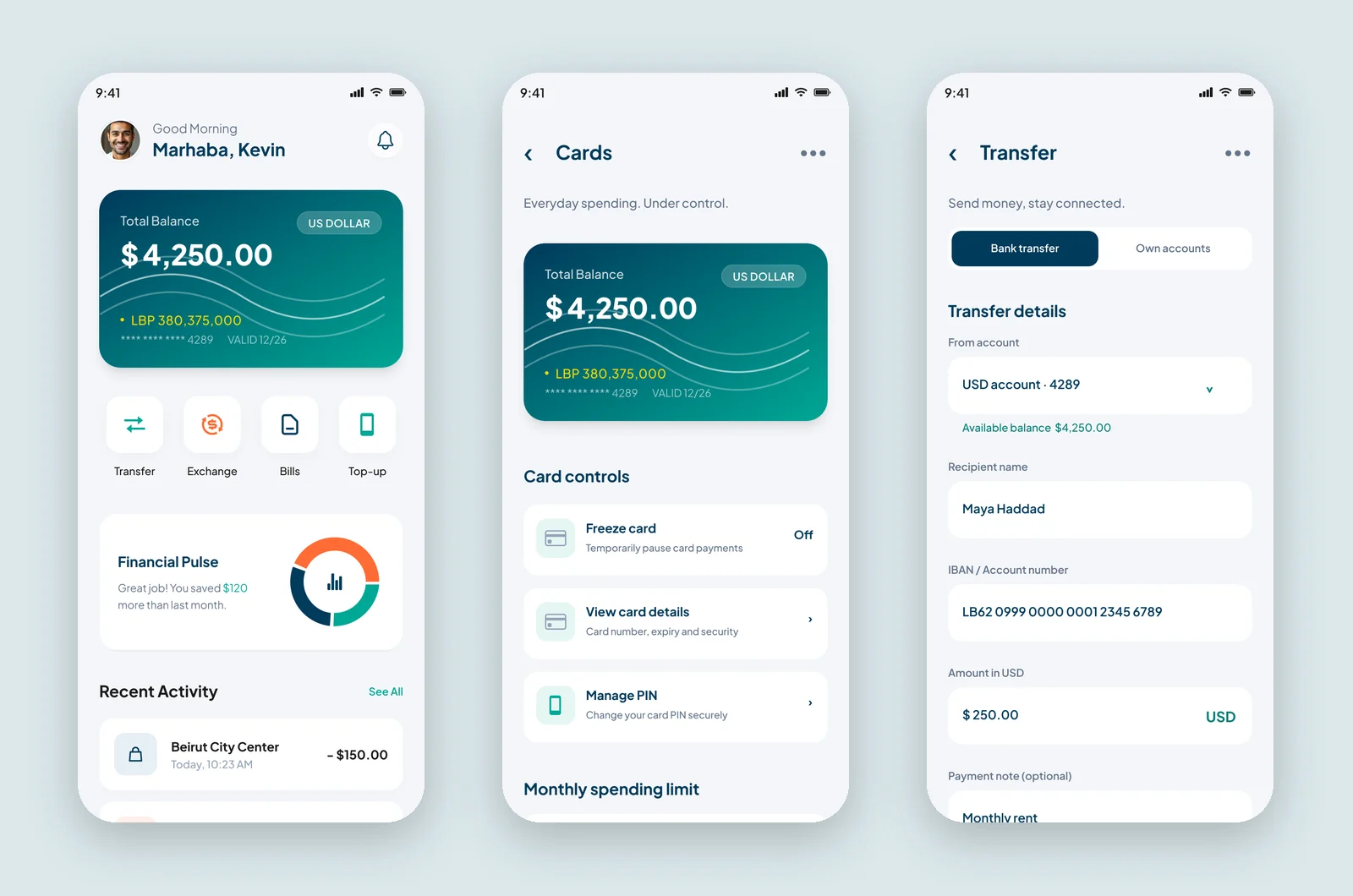
Mizan has nine screens, each in a light and a dark theme: Home, Cards, Transfer, Exchange, Bills, Mobile top-up, Analytics, Profile and Activity.
Key features
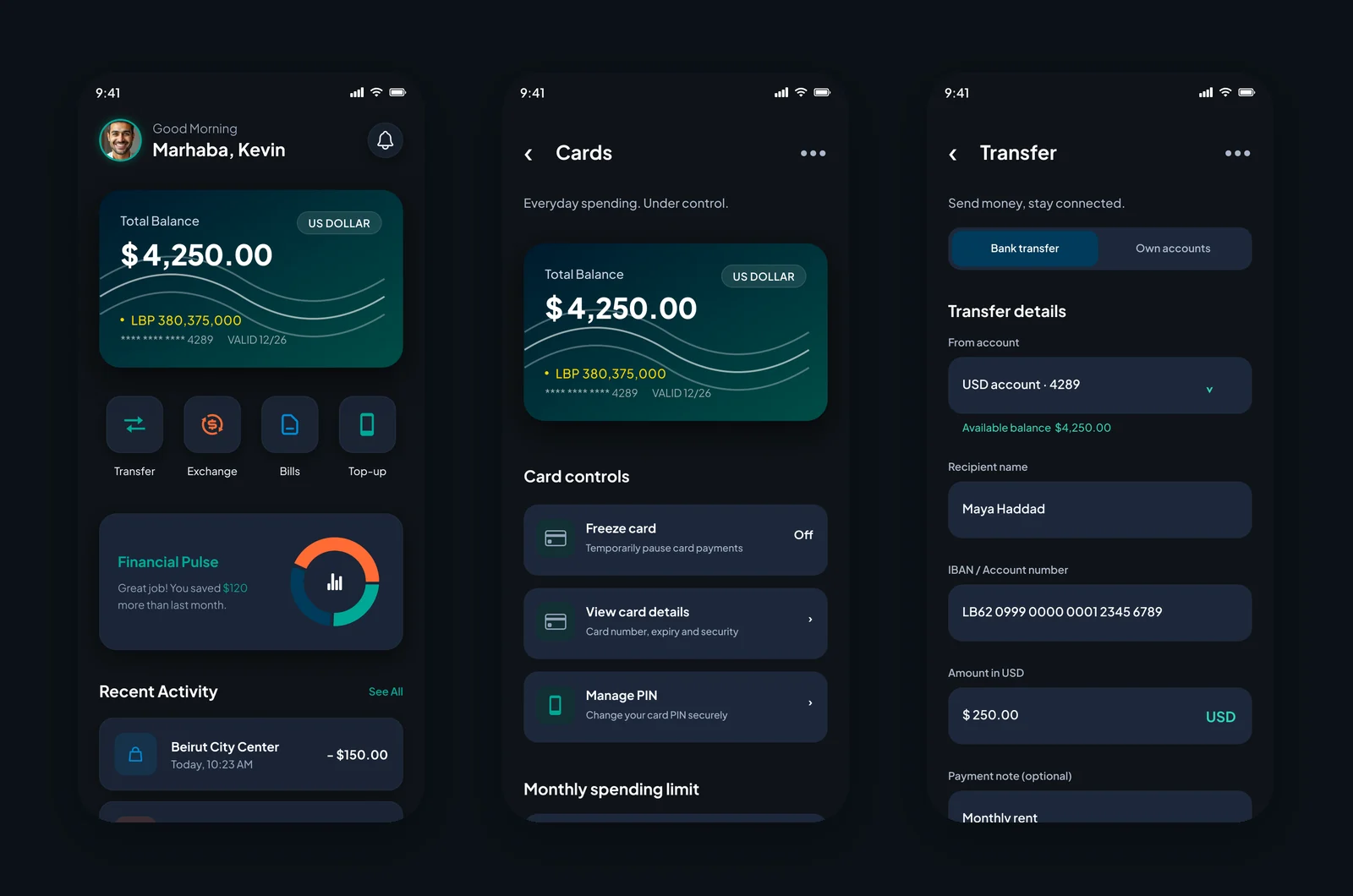
- Dual-currency balance. The balance card shows the dollar balance large and the lira equivalent underneath, on a teal gradient card.
- Four quick actions. Transfer, Exchange, Bills and Top-up sit right under the balance.
- Financial Pulse. A friendly monthly summary ("You saved $120 more than last month") with a ring chart.
- Card controls. Freeze a card, view its details, change the PIN and track a monthly spending limit.
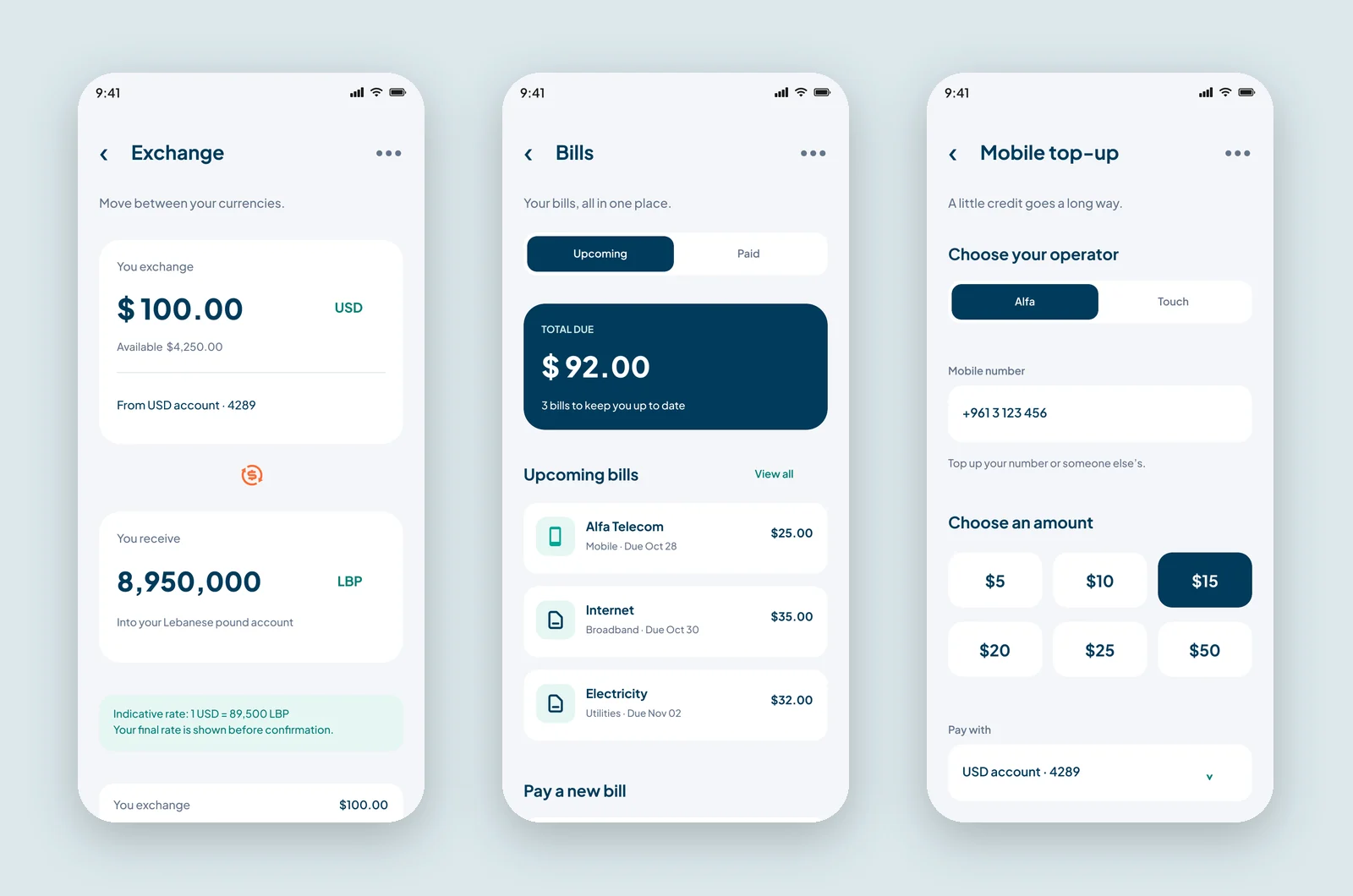
- Transfers and exchange. Clear forms with the available balance, IBAN, fee and total before review, and the indicative USD/LBP rate shown upfront.
- Bills and top-up. Upcoming bills with due dates, operator choice (Alfa or Touch) and preset amounts.
- Analytics and activity. Weekly spending bars, spending by category and searchable activity grouped by day.
Visual style
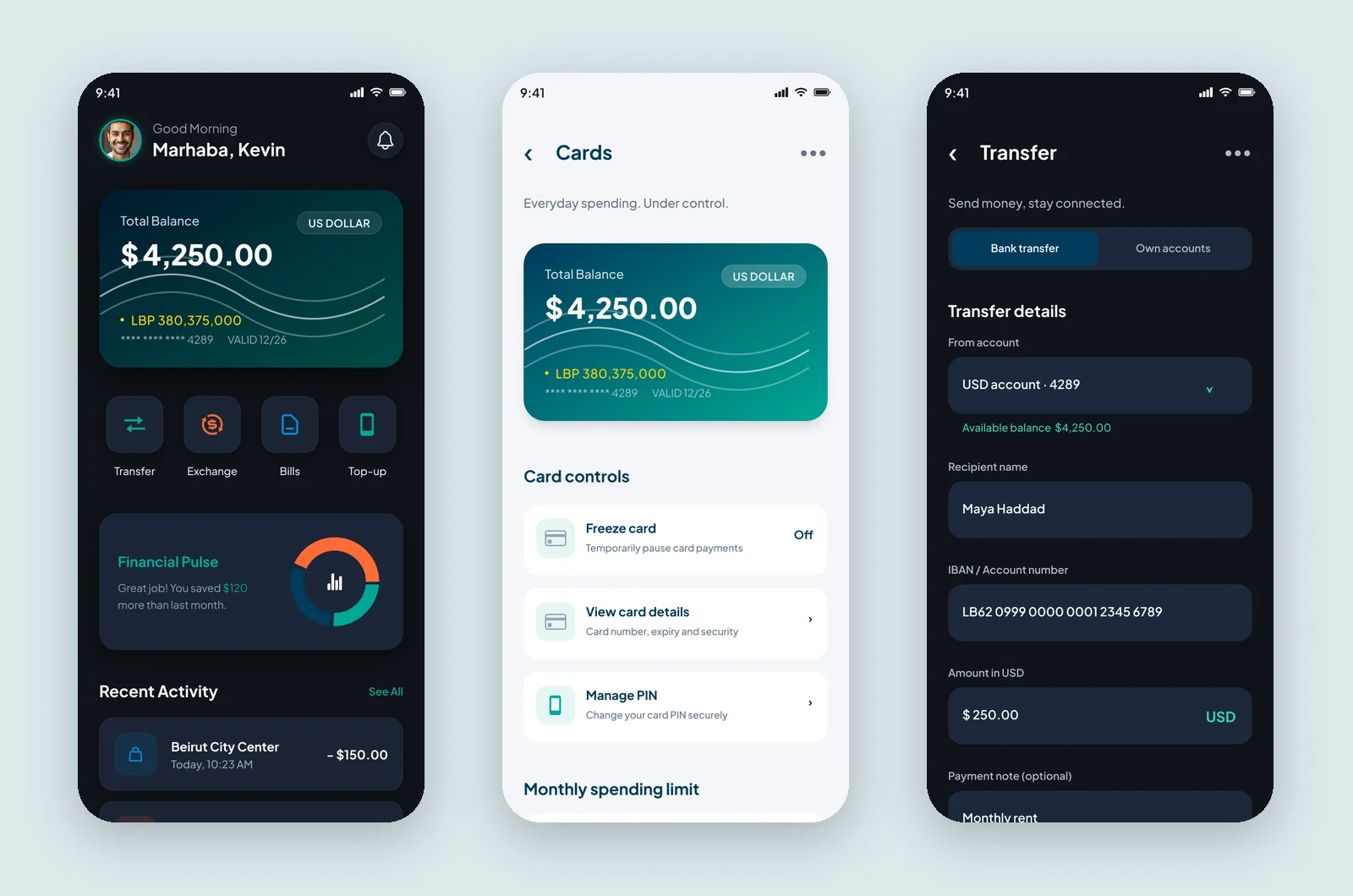
Deep navy and teal give the app a calm, trustworthy feel, with a warm orange used only for the scan button and a few key icons. Plus Jakarta Sans keeps amounts clear and friendly at every size. Cards are soft white (or deep navy in dark) with generous rounding, and each screen opens with a short, human subtitle like "Send money, stay connected" or "A clearer picture of your money".
Colour palette
Brand
Deep navy
#003B5C
Primary button and headings in light
Teal
#00A896
Primary button in dark, positive amounts
Deep teal
#007F74
Card gradient, links in light
Aqua
#30D5BB
Highlights on dark
Mint
#E7F7F4
Notices and icon wells in light
Scan orange
#FF6B35
QR scan button, exchange icon, top spend
Lira gold
#FACC15
LBP balance on the card
Surfaces and text
Night
#0F1419
Background in dark
Panel
#1A2332
Cards in dark
Slate
#334155
Lines in dark
Cloud
#F5F7FA
Background in light
White
#FFFFFF
Cards in light
Mist
#AAB8CA
Secondary text in dark
Steel
#64748B
Secondary text in light
The full UI kit for this project is in the Mizan design system.
More screens